ResumeTemplates.com LOGO
  • Resume Templates
      TOP RESUME TEMPLATES
    • College
    • Combination
    • Stylish
    • Technology
    • Minimalist
    • Functional
    • Professional
    • Google Docs
    • Hybrid
    • ATS Friendly
    • Chronological
    • Microsoft Word
    • Traditional
    • Creative
    • Basic
    • General
    • Skills Based
    • Modern
    • Use our free resume templates tool
      Examples of resumes in our free resume builder tool

      When choosing a resume template, the priority should be a clean, professional look that can focus on your career accomplishments.

      Build My Resume
      View all 100+ Resume Templates
  • Resume Builder App
  • Resume Examples
      TOP RESUME EXAMPLES
    • Software Engineer
    • Registered Nurse
    • Sales
    • Customer Service Representative
    • Software Developer
    • Accountant
    • Coaching Resume
    • Product Manager
    • Teacher
    • Medical Assistant
    • Information Technology
    • Project Manager
    • Administrative Assistant
    • Bartender
    • Use our free resume templates tool
      Examples of resumes in our free resume builder tool

      When choosing a resume template, the priority should be a clean, professional look that can focus on your career accomplishments.

      Build My Resume
      View all 100+ Resume Examples
  • Resources
      Top Resources
    • Adding Your Writing Skills on a Resume
    • Bartender Job Description for a Resume
    • Best Resume File Formats
    • Effective Communication Skills for Resume With Examples, Tips, and Guide
    • Functional vs. Chronological Resume
    • Google Docs Resume Templates
    • Hobbies and Interests for Resumes
    • How Far Back Should a Resume Go?
    • How Much Does a Resume Builder Cost?
    • How To Demonstrate Organizational Skills
    • How To Edit a Resume Template in Word
    • How To Include Salary Requirements in Resumes
    • How To Insert a Picture in a Google Doc Resume Template
    • How to List Projects on a Resume
    • How To List Your Education on a Resume
    • How To Make a Resume
    • How To Make a Resume With No Job Experience
    • How to Make Your Resume Stand Out and Land Your Dream Job
    • How To Nail an Impressive Beginner Resume Summary
    • How To Present Your Accomplishments on a Resume
    • How To Say You’re a Quick Learner on Your Resume
    • How To Say You’re a Subject Matter Expert on a Resume
    • How To Upload Your Resume to Indeed
    • How To Write a Business Resume
    • How To Write a Cover Letter for a Resume
    • How To Write an Impressive Resume With Only One Job
    • How To Write a Resume Summary
    • How To Write a Student Resume
    • How To Write an Address on One Line
    • Key Skills Examples for Your Resume
    • Listing Udemy Certificates on a Resume
    • Make a Resume in Microsoft Word
    • Putting Coursera Certificates on a Resume
    • Resume Buzzwords and Cliches To Avoid
    • Resume Header Examples
    • Resume Icons, Logos, and Symbols
    • Resume Introduction And Intro Paragraph Examples
    • Resume Objective Examples
    • Resume Punctuation
    • Resume Vs. Curriculum Vitae
    • Should I Put My GPA on My Resume And How To List It
    • Summary of Qualifications for a Resume
    • The Best Color for Your Resume
    • The Complete Guide To Listing a U.S. Military Address on Your Resume
    • Types of Resume Templates
    • What Resume Template Do Employers Prefer?
    • What Template Should I Use for a Federal Resume?
    • What To Put on a Resume
    • Where To Find Free Resume Templates
    • Where To Post Your Resume for Remote Work
    • Write a Resume With No Experience
    • See all Resources
  • Research
      RESEARCH
    • 4-Day Work Week Survey
    • AI Hiring Survey
    • AI Lay Off Survey
    • AI Manager Survey
    • ChatGPT and Skill Assessments
    • ChatGPT Competence Survey
    • ChatGPT Contributes to Raises
    • Companies Increase In-Office Days
    • Companies Offer Lower Salaries YoY
    • Companies Reduce Salaries and Benefits
    • Companies Replace Workers With AI
    • Cost-of-Living Survey
    • DEI Survey
    • Employee Coffee-Badging
    • Employee Layoffs
    • Gen Z Interview Survey
    • Gen Z Worker Parents Survey
    • Hard and Soft Skills Hiring Survey
    • Hiring Managers Favor AI Skills
    • Hiring Managers Pass on Bad Resumes
    • Hiring Report
    • Listing Pronouns on Resumes
    • Lying on Resumes
    • Manager Gen Z Survey
    • Rehiring Workers Survey
    • See All Research Reports
  • Resources
      Top Resources
    • How To Fill Out A Resume Template
    • Guides and AdviceRESEARCH
    • Adding Your Writing Skills on a Resume
    • Bartender Job Description for a Resume
    • Best Resume File Formats
    • Effective Communication Skills for Resume With Examples, Tips, and Guide
    • Functional vs. Chronological Resume
    • Google Docs Resume Templates
    • Hobbies and Interests for Resumes
    • How Far Back Should a Resume Go?
    • How Much Does a Resume Builder Cost?
    • How To Demonstrate Organizational Skills
    • How To Edit a Resume Template in Word
    • How To Include Salary Requirements in Resumes
    • How To Insert a Picture in a Google Doc Resume Template
    • How to List Projects on a Resume
    • How To List Your Education on a Resume
    • How To Make a Resume
    • How To Make a Resume With No Job Experience
    • How to Make Your Resume Stand Out and Land Your Dream Job
    • How To Nail an Impressive Beginner Resume Summary
    • How To Present Your Accomplishments on a Resume
    • How To Say You’re a Quick Learner on Your Resume
    • How To Say You’re a Subject Matter Expert on a Resume
    • How To Upload Your Resume to Indeed
    • How To Write a Business Resume
    • How To Write a Cover Letter for a Resume
    • How To Write an Impressive Resume With Only One Job
    • How To Write a Resume Summary
    • How To Write a Student Resume
    • How To Write an Address on One Line
    • Key Skills Examples for Your Resume
    • Listing Udemy Certificates on a Resume
    • Make a Resume in Microsoft Word
    • Putting Coursera Certificates on a Resume
    • Resume Buzzwords and Cliches To Avoid
    • Resume Header Examples
    • Resume Icons, Logos, and Symbols
    • Resume Introduction And Intro Paragraph Examples
    • Resume Objective Examples
    • Resume Punctuation
    • Resume Vs. Curriculum Vitae
    • Should I Put My GPA on My Resume And How To List It
    • Summary of Qualifications for a Resume
    • The Best Color for Your Resume
    • The Complete Guide To Listing a U.S. Military Address on Your Resume
    • Types of Resume Templates
    • What Resume Template Do Employers Prefer?
    • What Template Should I Use for a Federal Resume?
    • What To Put on a Resume
    • Where To Find Free Resume Templates
    • Where To Post Your Resume for Remote Work
    • Write a Resume With No Experience
    • Research
    • 4-Day Work Week Survey
    • AI Hiring Survey
    • AI Lay Off Survey
    • AI Manager Survey
    • ChatGPT and Skill Assessments
    • ChatGPT Competence Survey
    • ChatGPT Contributes to Raises
    • Companies Increase In-Office Days
    • Companies Offer Lower Salaries YoY
    • Companies Reduce Salaries and Benefits
    • Companies Replace Workers With AI
    • Cost-of-Living Survey
    • DEI Survey
    • Employee Coffee-Badging
    • Employee Layoffs
    • Gen Z Interview Survey
    • Gen Z Worker Parents Survey
    • Hard and Soft Skills Hiring Survey
    • Hiring Managers Favor AI Skills
    • Hiring Managers Pass on Bad Resumes
    • Hiring Report
    • Listing Pronouns on Resumes
    • Lying on Resumes
    • Manager Gen Z Survey
    • Rehiring Workers Survey
    • Resources
    • See all Resources
  • My Account
  • Use our free resume templates tool
    Examples of resumes in our free resume builder tool

    When choosing a resume template, the priority should be a clean, professional look that can focus on your career accomplishments.

Build My Resume
Build My Resume
Home / Resume Examples / 2 Best Infographic Resume Examples and Templates for 2026

2 Best Infographic Resume Examples and Templates for 2026

Andrew Stoner
By Andrew Stoner
Andrew Stoner
Executive Resume Writer and Career Coach linkedin
Andrew Stoner
, Executive Resume Writer and Career Coach
Last Updated: October 22, 2026

Every resume example is written and reviewed by our team of Certified Professional Resume Writers to ensure top-quality content and formatting.

An infographic resume turns your career into a visual layout, using icons, charts, color, and timelines to show your work at a glance. It puts your strongest wins in shapes and space, so a reviewer reads the story, not just the words.

This format leans on design choices like a labeled skills list, a project timeline, or a stat block for metrics you own. Tools like Canva, Adobe Express, and Figma make the build doable without a design degree.

The examples below show how to lay out sections, pick two or three accent colors, and keep the file ATS-friendly with a plain text version on hand.

Infographic Resume Example

Build your Infographic resume

Customize this template in our builder in under 10 minutes.

Build my resume
Excellent Excellent
4.7 STARS on 4.7 STAR
flash image Get the 2x more job offers*
On this page
On this page
  • Infographic Resume Examples
    • Featured Example
    • Infographic
    • Text Version Infographic
  • How to Write an Infographic Resume
  • Hard Skills and Soft Skills That Pass ATS Scans
  • Frequently Asked Questions
linkedin
twitter
facebook
Tip !

A live portfolio link paired with legible role titles is what gets infographic resumes past the recruiter's first cut; measurable project outcomes are what make them readable enough for creative directors to advance them.

Andrew Stoner , Executive Resume Writer and Career Coach

Infographic Resume Examples

Featured Example

Featured Example
PDF
DOCX
Use This Template

Why this resume works

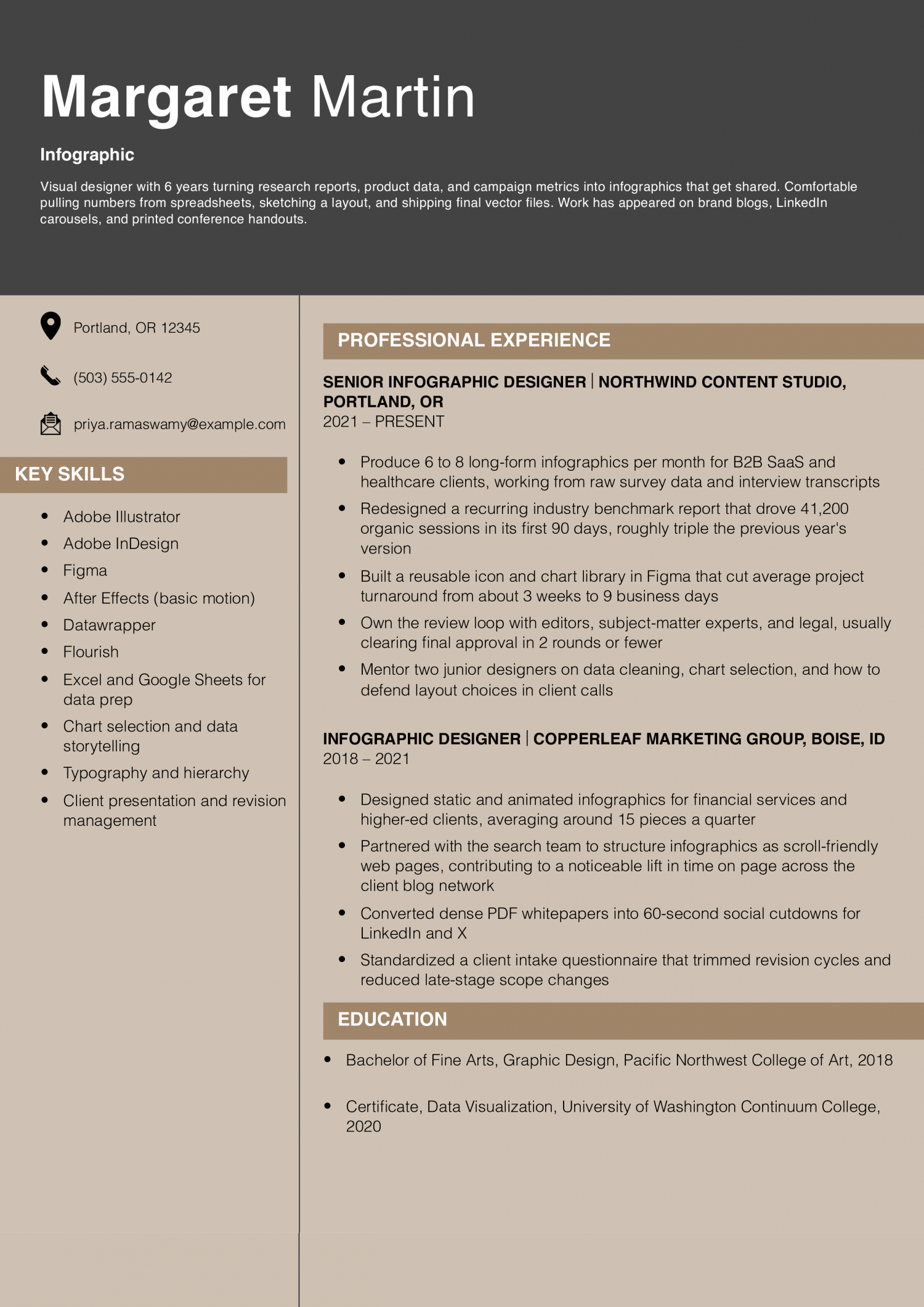
  • Numbers tied to real reach: The 41,200-session bullet shows the work drove traffic, not just looked nice.
  • Shows the full workflow: Bullets cover raw data, design, review rounds, and final approval, which is what hiring managers actually want to see.
  • Tools list matches the job: Illustrator, Figma, Datawrapper, and Flourish are the specific tools infographic teams post in job ads.
Jump to a separate text resume example ↓

Infographic Resume Example

An infographic resume works for design-forward roles where you need to show visual thinking on the page itself. This version has to show layout skill and a clear order that hiring teams can scan in seconds.

Infographic Resume Example
PDF
DOCX
Use This Template

Why this resume works

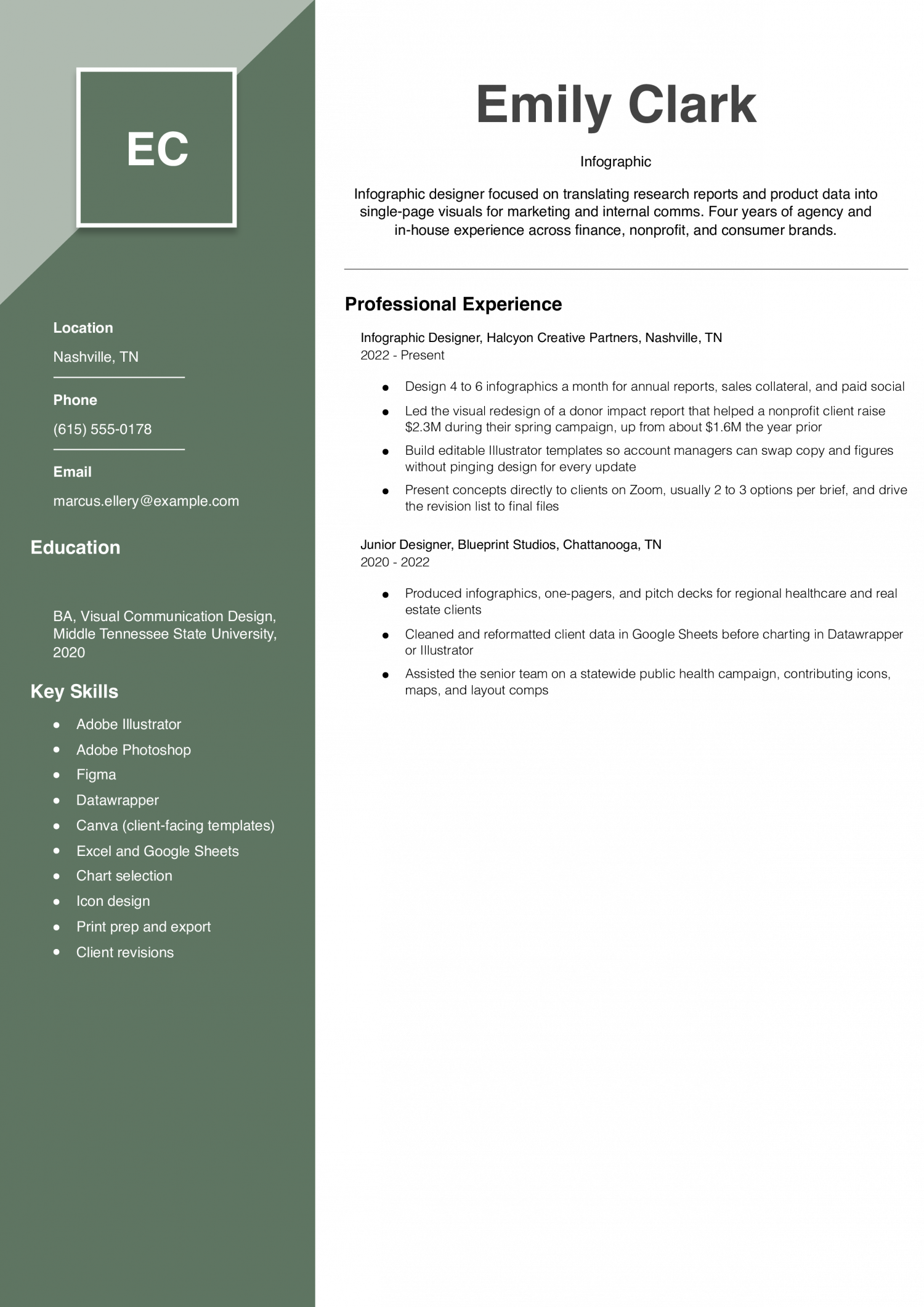
  • Ties design to fundraising results: The $2.3M donor report bullet connects the visuals to money raised, which is the clearest way to prove design value.
  • Shows growth between two jobs: Moving from junior support work to leading client presentations reads as a real career step, not a title change.
  • Handles data, not just decoration: Cleaning spreadsheets and using Datawrapper signals the candidate can start from raw numbers, which many designers can’t.

Text Version Infographic

Elena Marchetti
Minneapolis, MN | (612) 555-0119 | [email protected] | linkedin.com/in/elenamarchetti

PROFESSIONAL SUMMARY

Senior infographic and data-visualization designer with 9 years of experience translating research, financial data, and product analytics into shareable visuals. Work spans annual reports, editorial illustrations for news outlets, LinkedIn carousels, and interactive scrollytelling pages. Comfortable owning a project from data audit through publication.

EXPERIENCE

Lead Infographic Designer
Meridian Insights Group | Minneapolis, MN | 2022-Present

  • Direct a team of 3 designers producing infographics for quarterly industry reports across banking, logistics, and higher education
  • Rebuilt the firm’s flagship annual outlook report as a scroll-based web experience, which pulled in 128,000 unique visitors in its first month and became the top lead source for the sales team that quarter
  • Set the chart, color, and typography standards used across all client deliverables, cutting brand inconsistency flags from clients to near zero
  • Run a weekly data-viz critique with the team, pairing junior designers with editors to sharpen headline and chart logic
  • Interface with research analysts to catch data errors before design starts, including a mislabeled axis that would have overstated a market growth figure by roughly 4x

Senior Infographic Designer
Rivertown Editorial | Saint Paul, MN | 2019-2022

  • Designed 3 to 5 editorial infographics a week for a national business newsletter with about 240,000 subscribers
  • Worked shoulder to shoulder with reporters, often turning a spreadsheet and a Slack conversation into a finished graphic in under 6 hours
  • Built a chart template library in Illustrator and Datawrapper that the newsroom still uses
  • Contributed graphics to a long-form investigation that was later cited by two national outlets

Infographic Designer
Clover & Ash Agency | Madison, WI | 2017-2019

  • Produced infographics, whitepaper layouts, and social cutdowns for B2B tech and healthcare clients
  • Introduced Figma to the design team and ran the migration from Sketch over a 3-month window
  • Owned the monthly infographic series for a cybersecurity client, which became their most-linked content that year

Junior Graphic Designer
Northlake Print & Web | Duluth, MN | 2015-2017

  • Supported senior designers on brochures, trade show panels, and early infographic projects for tourism clients
  • Prepared print files, handled press checks, and managed the studio’s stock imagery library
  • Took over the studio’s icon library and cleaned up roughly 400 legacy assets

EDUCATION

  • Bachelor of Fine Arts, Graphic Design, Minneapolis College of Art and Design, 2015
  • Certificate, Information Visualization, Maryland Institute College of Art (online), 2021

SKILLS

  • Adobe Illustrator
  • Adobe InDesign
  • Adobe Photoshop
  • Figma
  • After Effects for light motion
  • Datawrapper
  • Flourish
  • Tableau (reading and reshaping dashboards)
  • Excel and Google Sheets for data cleanup
  • Basic web markup and styling for scrollytelling handoff
  • Chart selection and data storytelling
  • Team leadership and design critique
Use this in our builder
Copied

How to Write an Infographic Resume

01 Pick this format for the right roles

An infographic resume uses icons, charts and color to show your work. It fits creative fields where visual craft is part of the job. Think graphic design, marketing, user experience and art direction.

It also suits portfolio reviews, career fairs and warm referrals. Skip it for law, finance, healthcare, government and most engineering roles. Skip it when the posting sends you into an online application system.

Hiring teams in creative fields expect taste and layout skill on the page. Hiring teams in traditional fields want scannable text and clear dates. Use the visual version for humans and a plain text version for portals.

Send the visual file only when a person will open it.

02 Build a plain text version too

Most job boards feed your file into an applicant tracking system. That software reads text, not shapes, icons or charts inside an image. A pure infographic saved as an image will lose your dates and titles.

Build two files from the same content and treat them as a pair. Version one is a standard one-page resume in a simple text layout. Version two is the designed infographic you hand to a person.

Upload the plain version to portals and email the designed version to contacts. Name the files clearly so you send the right one each time. Keep both in sync every time you update a role, tool or metric.

Match the wording in both so a reader sees one story.

03 Plan the layout before you design

Sketch the page on paper before you open any design tool. Decide the reading path a recruiter should follow from top to bottom. Most readers scan a Z pattern or a strong left column.

Put your name, target role and contact at the top of the page. Group work history, skills, education and selected projects into clear blocks. Give each block a heading in the same weight and size.

Leave real white space between sections so the eye can rest. Aim for one page at United States letter or A4 size. Keep the file under two megabytes so it opens on any device.

Export a print ready PDF with fonts embedded and colors set for screen.

04 Use charts and icons with restraint

Charts should carry real data, not decorate a skills list. A bar showing 90 percent for Photoshop tells a reader nothing true. Replace skill meters with named projects, tools used and the result.

Use a timeline chart for career history if roles overlap or span countries. Use a small map if travel or client locations matter to the role. Pick two or three brand colors and one accent for highlights.

Choose one display font for headings and one clean font for body text. Keep body text at 10 points or larger for print and screen. Give every icon a text label right next to it.

If a graphic needs a caption to make sense, cut the graphic.

05 Proof, test and send with context

Print the page at full size and read it from arm’s length. Headings should be clear and body text should stay easy to read. Open the PDF on a phone and check that nothing crops or shifts.

Ask a friend outside your field to name your last three roles. If they cannot, the visual is winning over the content. Run spell check and read every date, title and company name twice.

When you email the designed file, add a short note with the plain version attached. Tell the reader which file to open first and why. Link to a portfolio or case study that backs up any chart on the page.

Hard Skills and Soft Skills That Pass ATS Scans

The visuals do not parse, so the text layer has to carry the keywords. Tool names like Adobe Illustrator clear the first cut on most scans. Visual storytelling then decides whether the resume advances to a human reader. Hiring teams weigh hard skills first because scanners read text, not graphics. Soft skills like collaboration signal how you work with writers, marketers and product leads. They also hint at how you take feedback on a draft that has to ship. Pick five hard skills straight from the target posting, in the wording used there. Use each soft skill as evidence backing a bullet lower on the page. A skill named at the top must show up in a role, project or result below. Skills that appear only in the list read as filler to a reviewer.

Hard skills (high ATS-scan rate)

  • Adobe Illustrator
  • Data visualization
  • Typography
  • Figma
  • Icon design

Soft skills (lower ATS-scan rate, higher human-review weight)

  • Storytelling
  • Collaboration
  • Attention to detail
  • Creativity
  • Communication

ATS optimization tips

  • Mirror the Posting: Copy the exact tool names and skill phrases from the job ad into your skills list, in the wording the posting uses.
Written by professional resume writers and loved by hiring managers

Resume Templates offers HR approved resume templates to help you create a professional resume in minutes. Choose from several template options and even pre-populate a resume from your profile.

Build My Resume

Frequently Asked Questions

What is an infographic resume?

An infographic resume is a one-page visual document that uses charts, icons, and typography to present your work history.

It replaces long paragraphs with graphics that show scale, timelines, and skill areas at a glance. Hiring teams treat it as a supplement to a standard resume, not a replacement.

Do employers actually like infographic resumes?

Reactions vary by industry, so match the format to the audience before you send it.

Design, marketing, and creative teams often welcome them because the layout itself is part of your portfolio. Finance, law, and healthcare hiring teams tend to prefer the plain text version you attach alongside it.

How do I make an infographic resume for free?

Canva, Google Slides, and Visme all offer free templates that you can edit in a browser.

Start from a single-page layout, replace the sample text with your own history, and export the file as a PDF. Save a matching plain text version in Word so applicant tracking systems can still parse your content.

Can I build an infographic resume in Microsoft Word?

Yes, Word supports icons, SmartArt, shapes, and text boxes that together can produce a simple infographic layout.

Set the page to a single column, lock your grid with a table, and place icons in cells so nothing shifts as you edit. Export the finished file as a PDF to preserve fonts and spacing on the reader's screen.

Will an infographic resume pass applicant tracking systems?

Most parsers cannot read text inside images, columns, or icons, so a pure infographic PDF often returns garbled fields. Submit the plain text resume through the applicant tracking system and bring the infographic to the interview or share it by link. This split keeps your keywords searchable and your design intact.

How much does an infographic resume cost?

You can build one yourself for nothing using free templates in Canva or Google Slides.

A designer on Fiverr or Upwork typically charges 50 to 300 dollars for a custom single-page layout. Full agency work with revisions and source files runs higher and suits senior roles where presentation matters most.

How can I tell if my infographic resume is working?

Track responses on the same job type over four to six weeks, sending the infographic to half of your applications and a plain resume to the other half.

Compare interview requests, callbacks, and recruiter messages between the two groups. If the visual version underperforms, keep it as a portfolio piece and lead with the plain format.

Should you send an infographic resume or a plain one?

Follow step 02 above.

Keep the plain version simple: clear section headings, a standard font, and no graphics for a parser to choke on.

Rate this article

Infographic Resume

Average Rating

4.8/5 stars with 211 reviews

You have given 0 Star(s)
4.8/5 stars with 211 reviews

Check Out Related Examples

Designer Featured Resume
Designer Resume Examples and Templates for 2026

Andrew Stoner By: Andrew Stoner

Your profile should state your years of design experience, the type of work you do (brand, product, motion, packaging), and the surfaces you ship on. Name the team setup you’ve worked in: in-house brand team,…
Senior Example
Artist Resume Examples and Templates for 2026
Andrew Stoner By: Andrew Stoner

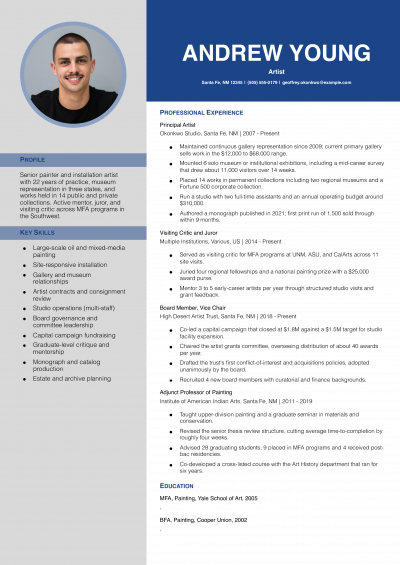
The top of an artist resume should name what a curator or art director measures: solo shows, group exhibitions, residencies, grants, and collections. Lead with a two-line summary that states your medium, your years in…

Senior Creative Director Example
One Page Resume Examples and Templates for 2026
Andrew Stoner By: Andrew Stoner

Start by picking the two or three roles that map most directly to the job you want. Older or off-track positions can collapse into a short “Earlier Experience” line at the bottom. For each kept…

Creative Director Example
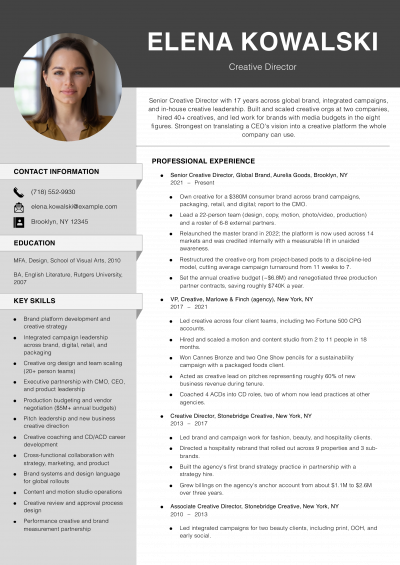
Creative Director Resume Examples and Templates for 2026
Andrew Stoner By: Andrew Stoner

The first line of your summary should name a shipped campaign, the channels it ran across, and a lift number tied to it. Chief creative officers and agency partners read that line as proof you…

Digital Marketing Entry Level Resume
Digital Marketing Resume Examples and Templates for 2026
Andrew Stoner By: Andrew Stoner

The first line of your summary should name a campaign result a demand-gen director already tracks. Pick ROAS, CAC payback, MQL-to-SQL rate, or pipeline sourced. Pair that number with the channel and the budget behind…

Assistant Editor Example
Editor Resume Examples and Templates for 2026
Andrew Stoner By: Andrew Stoner

Your first line should name the editorial volume you’ve handled, not a scope statement. Managing editors read the summary for output: articles or chapters per week, average word count, and the style guide you work…

Animator
Animator Resume Examples and Templates for 2026
Andrew Stoner By: Andrew Stoner

Your profile should name the type of animation you do, the pipeline you work in, and your shot range. State whether you focus on character, creature, cinematic, game, or motion graphics work. Name the software…

Junior Example - Copywriter
Copywriter Resume Examples and Templates for 2026
Andrew Stoner By: Andrew Stoner

Put a single line at the top that a creative director can’t infer from your samples. Name the brand voices you’ve owned, the formats you ship weekly, or the verticals where you’ve moved conversion. Examples:…

Andrew Stoner
Andrew Stoner

Executive Resume Writer and Career Coach

Andrew Stoner is an executive career coach and resume writer with 17 years of experience as a hiring manager and operations leader at two Fortune 500 Financial Services companies, and as the career services director at two major university business schools.

Infographic Resume Example

Build your Infographic resume

Customize this template in our builder in under 10 minutes.

Build my resume
Excellent Excellent
4.7 STARS on 4.7 STAR
flash image Get the 2x more job offers*
ResumeTemplates.com LOGO
Trustpilot

Elevate your career with insider job advice and expert resume templates.

Build Your Resume
  • AI Resume Builder
  • Resume Builder App
  • Action Verbs, Power Words, and Strong Synonyms to Use on Your Resume
  • How Long Should a Resume Be?
  • How To Make a Resume
  • Key Skills Examples for Your Resume
Essential Resume Guides
  • Are Resume Templates a Good Idea?
  • How to List Work Experience on a Resume
  • How To Fill Out a Resume Template
  • How To Use a Resume Template for Free
About Resume Templates
  • About Us
  • Contact Us
  • Privacy Policy
  • Terms of Service
  • Do Not Sell or Share

© 2026 Resumetemplates.com All rights reserved.