ResumeTemplates.com LOGO
  • Resume Templates
      TOP RESUME TEMPLATES
    • College
    • Combination
    • Stylish
    • Technology
    • Minimalist
    • Functional
    • Professional
    • Google Docs
    • Hybrid
    • ATS Friendly
    • Chronological
    • Microsoft Word
    • Traditional
    • Creative
    • Basic
    • General
    • Skills Based
    • Modern
    • Use our free resume templates tool
      Examples of resumes in our free resume builder tool

      When choosing a resume template, the priority should be a clean, professional look that can focus on your career accomplishments.

      Build My Resume
      View all 100+ Resume Templates
  • Resume Builder App
  • Resume Examples
      TOP RESUME EXAMPLES
    • Software Engineer
    • Registered Nurse
    • Sales
    • Customer Service Representative
    • Software Developer
    • Accountant
    • Coaching Resume
    • Product Manager
    • Teacher
    • Medical Assistant
    • Information Technology
    • Project Manager
    • Administrative Assistant
    • Bartender
    • Use our free resume templates tool
      Examples of resumes in our free resume builder tool

      When choosing a resume template, the priority should be a clean, professional look that can focus on your career accomplishments.

      Build My Resume
      View all 100+ Resume Examples
  • Resources
      Top Resources
    • Adding Your Writing Skills on a Resume
    • Bartender Job Description for a Resume
    • Best Resume File Formats
    • Effective Communication Skills for Resume With Examples, Tips, and Guide
    • Functional vs. Chronological Resume
    • Google Docs Resume Templates
    • Hobbies and Interests for Resumes
    • How Far Back Should a Resume Go?
    • How Much Does a Resume Builder Cost?
    • How To Demonstrate Organizational Skills
    • How To Edit a Resume Template in Word
    • How To Include Salary Requirements in Resumes
    • How To Insert a Picture in a Google Doc Resume Template
    • How to List Projects on a Resume
    • How To List Your Education on a Resume
    • How To Make a Resume
    • How To Make a Resume With No Job Experience
    • How to Make Your Resume Stand Out and Land Your Dream Job
    • How To Nail an Impressive Beginner Resume Summary
    • How To Present Your Accomplishments on a Resume
    • How To Say You’re a Quick Learner on Your Resume
    • How To Say You’re a Subject Matter Expert on a Resume
    • How To Upload Your Resume to Indeed
    • How To Write a Business Resume
    • How To Write a Cover Letter for a Resume
    • How To Write an Impressive Resume With Only One Job
    • How To Write a Resume Summary
    • How To Write a Student Resume
    • How To Write an Address on One Line
    • Key Skills Examples for Your Resume
    • Listing Udemy Certificates on a Resume
    • Make a Resume in Microsoft Word
    • Putting Coursera Certificates on a Resume
    • Resume Buzzwords and Cliches To Avoid
    • Resume Header Examples
    • Resume Icons, Logos, and Symbols
    • Resume Introduction And Intro Paragraph Examples
    • Resume Objective Examples
    • Resume Punctuation
    • Resume Vs. Curriculum Vitae
    • Should I Put My GPA on My Resume And How To List It
    • Summary of Qualifications for a Resume
    • The Best Color for Your Resume
    • The Complete Guide To Listing a U.S. Military Address on Your Resume
    • Types of Resume Templates
    • What Resume Template Do Employers Prefer?
    • What Template Should I Use for a Federal Resume?
    • What To Put on a Resume
    • Where To Find Free Resume Templates
    • Where To Post Your Resume for Remote Work
    • Write a Resume With No Experience
    • See all Resources
  • Research
      RESEARCH
    • 4-Day Work Week Survey
    • AI Hiring Survey
    • AI Lay Off Survey
    • AI Manager Survey
    • ChatGPT and Skill Assessments
    • ChatGPT Competence Survey
    • ChatGPT Contributes to Raises
    • Companies Increase In-Office Days
    • Companies Offer Lower Salaries YoY
    • Companies Reduce Salaries and Benefits
    • Companies Replace Workers With AI
    • DEI Survey
    • Employee Coffee-Badging
    • Employee Layoffs
    • Gen Z Interview Survey
    • Gen Z Worker Parents Survey
    • Hard and Soft Skills Hiring Survey
    • Hiring Managers Favor AI Skills
    • Hiring Managers Pass on Bad Resumes
    • Hiring Report
    • Listing Pronouns on Resumes
    • Lying on Resumes
    • Manager Gen Z Survey
    • Rehiring Workers Survey
    • See All Research Reports
  • Resources
      Top Resources
    • How To Fill Out A Resume Template
    • Guides and AdviceRESEARCH
    • Adding Your Writing Skills on a Resume
    • Bartender Job Description for a Resume
    • Best Resume File Formats
    • Effective Communication Skills for Resume With Examples, Tips, and Guide
    • Functional vs. Chronological Resume
    • Google Docs Resume Templates
    • Hobbies and Interests for Resumes
    • How Far Back Should a Resume Go?
    • How Much Does a Resume Builder Cost?
    • How To Demonstrate Organizational Skills
    • How To Edit a Resume Template in Word
    • How To Include Salary Requirements in Resumes
    • How To Insert a Picture in a Google Doc Resume Template
    • How to List Projects on a Resume
    • How To List Your Education on a Resume
    • How To Make a Resume
    • How To Make a Resume With No Job Experience
    • How to Make Your Resume Stand Out and Land Your Dream Job
    • How To Nail an Impressive Beginner Resume Summary
    • How To Present Your Accomplishments on a Resume
    • How To Say You’re a Quick Learner on Your Resume
    • How To Say You’re a Subject Matter Expert on a Resume
    • How To Upload Your Resume to Indeed
    • How To Write a Business Resume
    • How To Write a Cover Letter for a Resume
    • How To Write an Impressive Resume With Only One Job
    • How To Write a Resume Summary
    • How To Write a Student Resume
    • How To Write an Address on One Line
    • Key Skills Examples for Your Resume
    • Listing Udemy Certificates on a Resume
    • Make a Resume in Microsoft Word
    • Putting Coursera Certificates on a Resume
    • Resume Buzzwords and Cliches To Avoid
    • Resume Header Examples
    • Resume Icons, Logos, and Symbols
    • Resume Introduction And Intro Paragraph Examples
    • Resume Objective Examples
    • Resume Punctuation
    • Resume Vs. Curriculum Vitae
    • Should I Put My GPA on My Resume And How To List It
    • Summary of Qualifications for a Resume
    • The Best Color for Your Resume
    • The Complete Guide To Listing a U.S. Military Address on Your Resume
    • Types of Resume Templates
    • What Resume Template Do Employers Prefer?
    • What Template Should I Use for a Federal Resume?
    • What To Put on a Resume
    • Where To Find Free Resume Templates
    • Where To Post Your Resume for Remote Work
    • Write a Resume With No Experience
    • Research
    • 4-Day Work Week Survey
    • AI Hiring Survey
    • AI Lay Off Survey
    • AI Manager Survey
    • ChatGPT and Skill Assessments
    • ChatGPT Competence Survey
    • ChatGPT Contributes to Raises
    • Companies Increase In-Office Days
    • Companies Offer Lower Salaries YoY
    • Companies Reduce Salaries and Benefits
    • Companies Replace Workers With AI
    • DEI Survey
    • Employee Coffee-Badging
    • Employee Layoffs
    • Gen Z Interview Survey
    • Gen Z Worker Parents Survey
    • Hard and Soft Skills Hiring Survey
    • Hiring Managers Favor AI Skills
    • Hiring Managers Pass on Bad Resumes
    • Hiring Report
    • Listing Pronouns on Resumes
    • Lying on Resumes
    • Manager Gen Z Survey
    • Rehiring Workers Survey
    • Resources
    • See all Resources
  • My Account
  • Use our free resume templates tool
    Examples of resumes in our free resume builder tool

    When choosing a resume template, the priority should be a clean, professional look that can focus on your career accomplishments.

Build My Resume
Build My Resume
Home / Resume Examples / IT Specialist Resume Examples and Templates

4 Best IT Specialist Resume Examples and Templates for 2026

Andrew Stoner
By Andrew Stoner
Andrew Stoner
Executive Resume Writer and Career Coach linkedin
Andrew Stoner
, Executive Resume Writer and Career Coach
Last Updated: October 15, 2026

Every resume example is written and reviewed by our team of Certified Professional Resume Writers to ensure top-quality content and formatting.

The strongest IT specialists get pulled from the stack because the resume proves range across help desk tickets, endpoint fixes, and network work. A vague list of tools reads like every other resume in the pile.

Show the systems you own: Active Directory, Windows and macOS imaging, Office 365 admin, and a ticketing tool like ServiceNow or Jira. IT managers and support team leads scan for ticket volume, first-call resolution, and proof you can handle both users and infrastructure.

With top earners near $100,540 a year, the bar is real. The examples below show how to frame that work for your next role.

IT Support Specialist / Help Desk Example

Build your IT Specialist resume

Customize this template in our builder in under 10 minutes.

Build my resume
Excellent Excellent
4.7 STARS on 4.7 STAR
flash image Get the 2x more job offers*
On this page
On this page
  • IT Specialist Resume Examples
    • Featured Example
    • IT Support Specialist / Help Desk Example
    • IT Specialist Example
    • Senior IT Specialist / IT Manager Example
    • Text Version IT Specialist
  • How to Write an IT Specialist Resume
  • Most Popular Skills on IT Specialist Resumes for 2026
  • Must Have on an IT Specialist Resume
  • Latest BLS Statistics for IT Specialists
  • Frequently Asked Questions
linkedin
twitter
facebook
Tip !

IT managers and support team leads scan the top third of an IT Specialist resume for platforms, ticketing systems, and endpoint counts supported; if those specifics aren't visible there, the resume moves to the reject pile.

Andrew Stoner , Executive Resume Writer and Career Coach

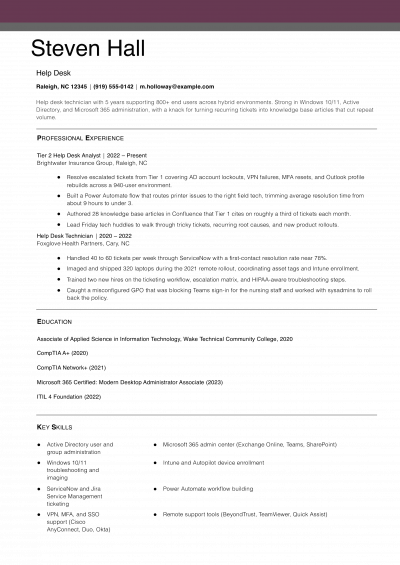
IT Specialist Resume Examples

Featured Example

Featured Example
PDF
DOCX
Use This Template

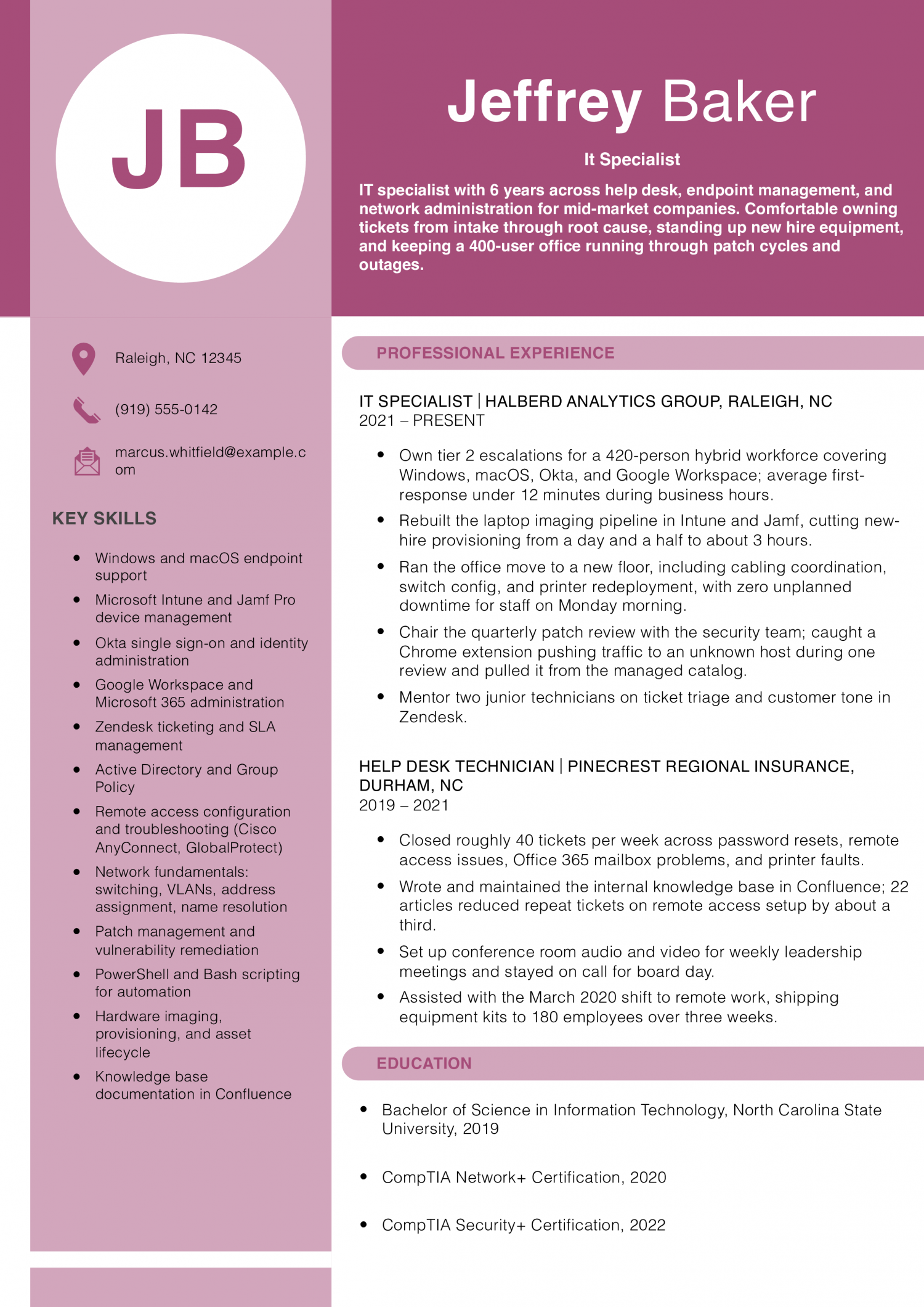
Why this resume works

  • Real numbers on the busy work: Ticket volume, provisioning time, and response time are the metrics an IT hiring manager actually scans for.
  • Shows growth from help desk to specialist: The two roles tell a clear story of moving from ticket-taker to someone who owns imaging pipelines and patch reviews.
  • Names the tools by name: Intune, Jamf, Okta, Zendesk, and Confluence match keywords a recruiter or ATS scans on IT postings.
Jump to a separate text resume example ↓

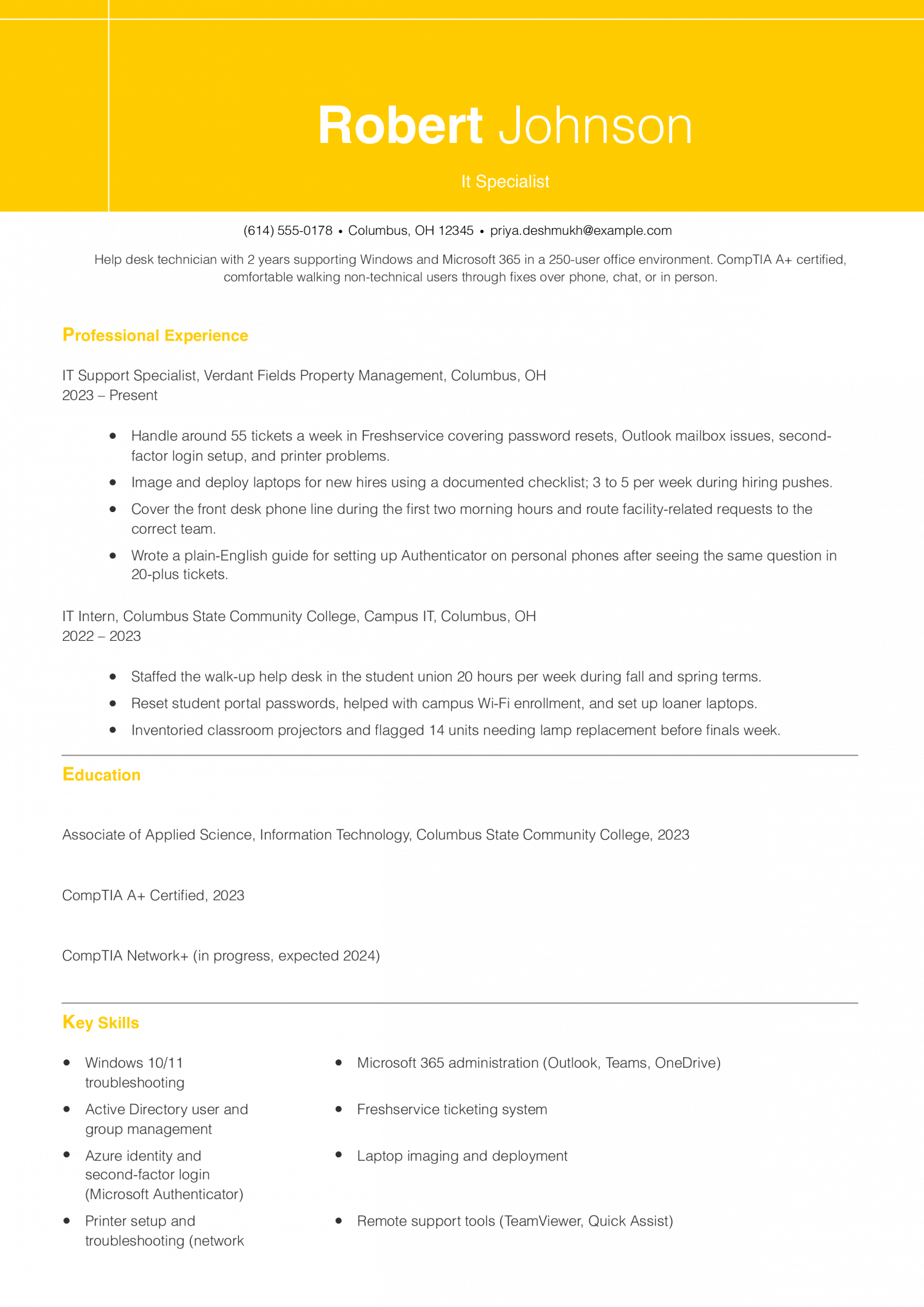
IT Support Specialist / Help Desk Example

This resume is for the entry-level help desk hire who resolves tickets, resets accounts, and images machines under a queue target. Show ticket volume, first-touch resolution rates, and the tools you handled daily.

IT Support Specialist / Help Desk Example
PDF
DOCX
Use This Template

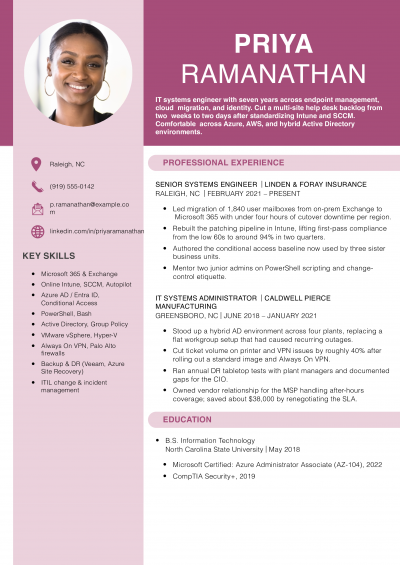
Why this resume works

  • Uses real help desk numbers: Tickets per week and laptops deployed per week are exactly the volume signals a help desk lead wants to see.
  • Shows customer patience, not just tech skill: The Authenticator guide bullet shows the candidate spots repeat problems and writes fixes non-technical users can follow.
  • Certification lines up with the role: CompTIA A+ is the credential most help desk postings ask for by name, so it belongs on this resume.

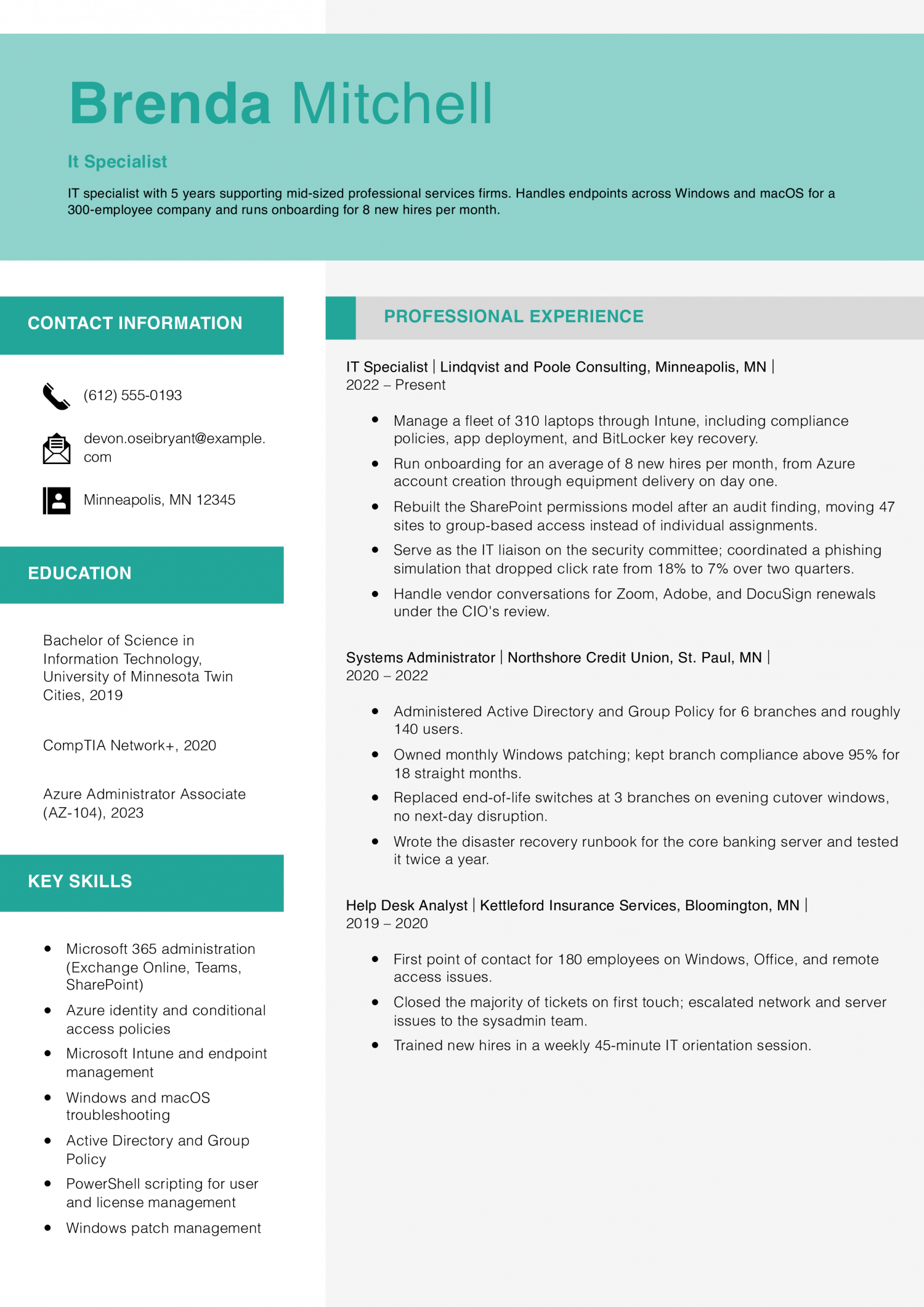
IT Specialist Example

This resume is for the mid-career IT Specialist who owns systems beyond the ticket queue, from endpoint management to network changes. Prove project ownership, cross-team support work, and the platforms you administer without supervision.

IT Specialist Example
PDF
DOCX
Use This Template

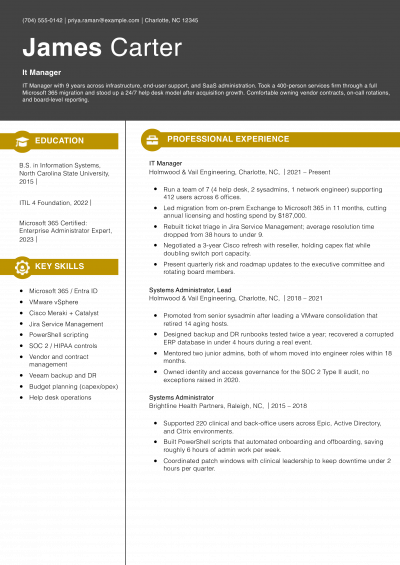
Why this resume works

  • Real scope in every job: Each role names how many users, laptops, or branches were supported, which lets a hiring manager size the experience.
  • Security work belongs on an IT resume: The phishing simulation and BitLocker recovery bullets show the candidate does more than fix tickets.
  • Career progression is easy to follow: Help desk to sysadmin to IT specialist is the exact path a lot of mid-level IT postings expect.

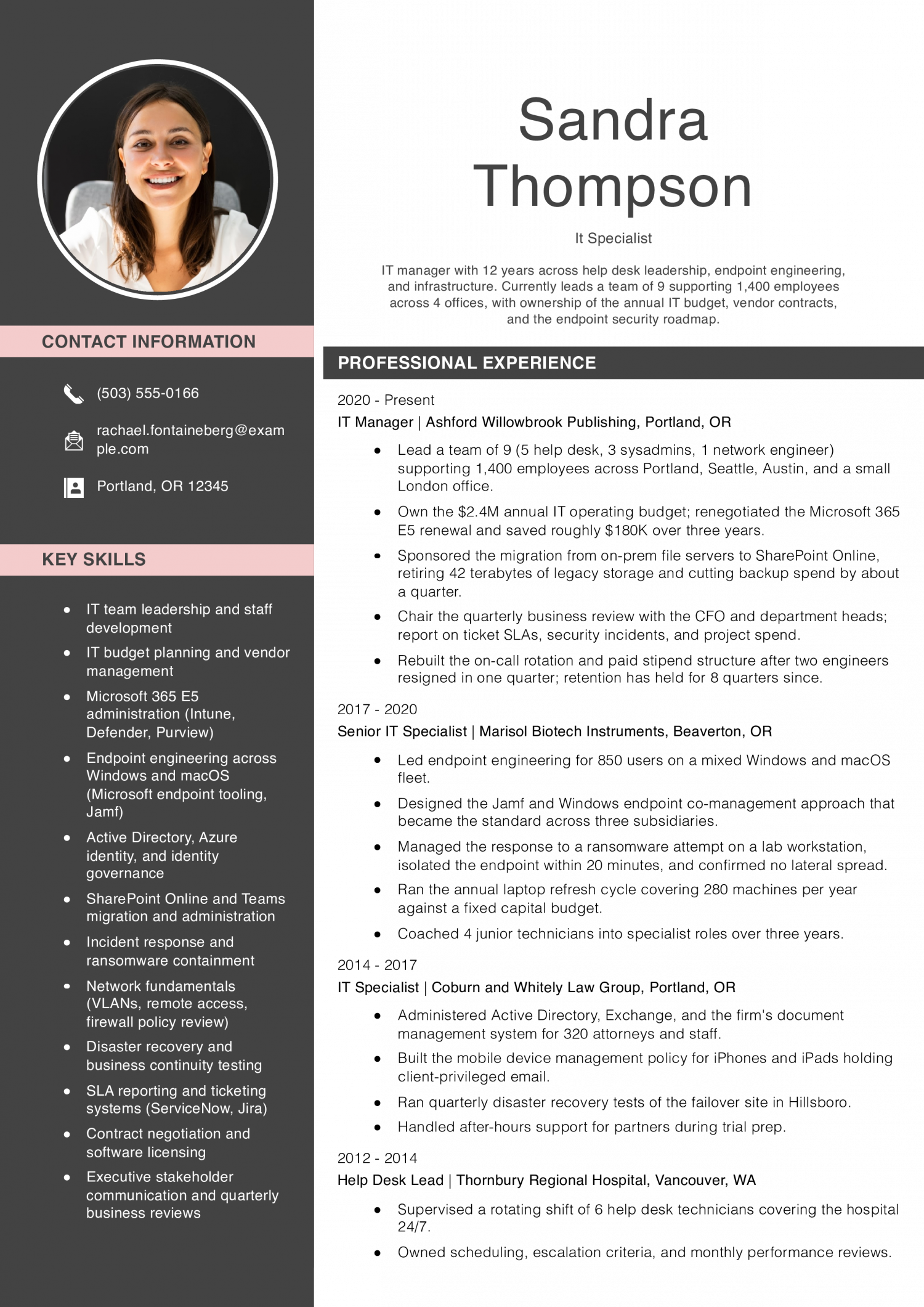
Senior IT Specialist / IT Manager Example

This resume is for the senior lead who sets IT policy, manages a support team, and reports to business leadership on uptime and spend. Show budget scope, staff headcount, and infrastructure decisions you drove end to end.

Senior IT Specialist / IT Manager Example
PDF
DOCX
Use This Template

Why this resume works

  • Budget and headcount are stated plainly: Naming the $2.4M budget and 9 direct reports tells a hiring executive the scope of the role in one line.
  • Handled a real security incident: The ransomware isolation bullet is the kind of concrete crisis-response story senior IT interviews open with.
  • Long arc from help desk to manager: The four jobs walk from shift supervisor through specialist and senior specialist into management, which matches how IT leadership roles get filled.

Text Version IT Specialist

Marcus Ellery Whitfield
Raleigh, NC | (919) 555-0142 | [email protected] | linkedin.com/in/marcus-whitfield

PROFESSIONAL SUMMARY

IT specialist with 6 years across help desk, endpoint management, and network administration for mid-market companies in the Research Triangle. Comfortable owning tickets from intake through root cause, standing up new hire equipment, coordinating vendor work, and keeping a 400-plus user office running through patch cycles, office moves, and unplanned outages.

EXPERIENCE

IT Specialist
Halberd Analytics Group | Raleigh, NC | 2021-Present

  • Own tier 2 escalations for a 420-person hybrid workforce covering Windows 11, macOS Sonoma, Okta single sign-on, and Google Workspace; average first response is under 12 minutes during business hours.
  • Rebuilt the laptop imaging pipeline in Intune for Windows and Jamf for macOS, cutting new-hire provisioning from a day and a half to about 3 hours from box to logged-in.
  • Ran the office move to a new floor including cabling coordination with the building vendor, switch config for two IDFs, printer redeployment, and desk-side testing; zero unplanned downtime for staff on Monday morning.
  • Chair the quarterly patch review with the security team; caught a Chrome extension pushing traffic to an unknown host during one review and pulled it from the managed catalog.
  • Mentor two junior technicians on ticket triage, customer tone in Zendesk, and when to escalate versus keep working the issue.

Help Desk Technician II
Pinecrest Regional Insurance | Durham, NC | 2020-2021

  • Closed roughly 40 tickets a week across password resets, remote access issues, Office 365 mailbox problems, and printer faults.
  • Wrote and maintained the internal knowledge base in Confluence; 22 articles cut repeat tickets on remote access setup by about a third.
  • Set up conference room audio and video for weekly leadership meetings and covered board day as on-site tech.
  • Assisted with the pandemic shift to remote work by shipping equipment kits to 180 employees over three weeks.

Help Desk Technician I
Pinecrest Regional Insurance | Durham, NC | 2019-2020

  • First point of contact for 240 employees; handled password resets, mailbox restores, and basic Wi-Fi troubleshooting.
  • Trained on the ticketing system in the first 30 days and moved to independent ticket ownership by month two.
  • Backed up the desktop team on quarterly laptop refresh cycles covering 60-plus machines.

IT Intern
Wake Technical Community College, Campus IT | Raleigh, NC | 2018-2019

  • Worked the walk-up desk in the library 15 hours per week, mostly student laptop and print-quota questions.
  • Helped image 90 refurbished computers for the classroom lab refresh.
  • Shadowed the network team on an evening switch replacement in the main academic building.

EDUCATION

  • Associate of Applied Science in Information Technology, Wake Technical Community College, 2019
  • CompTIA A+, active
  • CompTIA Network+, active
  • Microsoft 365 Certified: Endpoint Administrator Associate, 2023

SKILLS

  • Endpoint management: Intune, Jamf, Microsoft endpoint tooling
  • Identity: Okta, Azure identity, Active Directory
  • Productivity: Microsoft 365, Google Workspace
  • Ticketing: Zendesk, Freshservice, Jira Service Management
  • Networking basics: VLANs, address assignment, name resolution, Meraki dashboards
  • Scripting: PowerShell, basic Bash
  • Documentation: Confluence, Notion
  • Audio, video, and conferencing: Zoom Rooms, Logitech Rally, Crestron basics
  • Customer support and de-escalation
  • Vendor coordination
Use this in our builder
Copied

How to Write an IT Specialist Resume

01 Open with the metric an IT manager would use to size you up

Your summary should lead with a number, not a job title recap. IT managers and support team leads scan the first line for ticket volume, uptime figures or endpoint counts. Name your average tickets closed per week and the first-call resolution rate you hold.

Add the size of the environment you support: user count, site count or device count. This tells a reader in one line whether your scale matches their queue. A summary that opens with years of experience gets skimmed past.

A summary that opens with 40 tickets a week at 92 percent first-call resolution gets read. Save tooling names and soft-skill language for later in the summary.

02 Put numbers on every support bullet

Support work is measurable, and a ticket count or resolution time turns a duty into a result. Most strong IT specialist bullets carry two or three figures each. Name ticket volume, resolution time or user population served in the same line.

A bullet like resolved 35 tier-one tickets a day at a 15-minute average reads harder than owned the ticket queue. Recruiters scan for SLA attainment, uptime percentage and backlog reduction first. If exact numbers are not tracked, use a defensible range or the size of the user base.

Pair each metric with the outcome it drove, like reduced repeat tickets by 20 percent. Bullets that carry a number tend to advance further in the screen.

03 Group your work into four support categories

Sort your bullets into four buckets so a reader can scan by skill area. The first bucket is end-user support: troubleshooting, password resets and hardware swaps. The second is systems and network: Active Directory, printers and basic switch or firewall work.

The third is imaging and deployment: device builds, enrollment and software packaging. The fourth is documentation and process: knowledge base articles, runbooks and onboarding checklists. Label each cluster in your experience section with a short lead line.

This lets a support team lead confirm coverage in five seconds. Avoid dumping every tool into one long paragraph. A grouped list reads faster than a wall of acronyms and shows the shape of your day.

04 Put credentials and tools on page one

IT managers and support team leads screen for tooling before they read prose. Put a credentials and tools block near the top of page one, under the summary. List your ticketing system, remote support tool, device management platform and identity provider by exact name.

Name the platforms you cover: Windows, macOS and any Linux you actually support. Add any certifications you hold in a short line above or beside this block. If a certification is in progress, mark it as such with an expected date.

This placement matters because keyword scans and human skims both start at the top. Buried tooling reads as missing tooling. Keep the block to two lines so it stays scannable, and repeat the tools inside bullets where you used them.

05 Close with education and a clean footer

Put education at the bottom once you have a year or more of paid support work. List your degree or diploma, the school and the graduation year on one line. If you finished a bootcamp, IT support certificate or associate program, list it here in the same format.

Coursework belongs on the resume only if you are inside your first year out of school. Add a short section for relevant projects if your paid experience is thin: a home lab, a helpdesk internship or a volunteer network build. Skip hobbies, headshots and a full mailing address.

City, state, email and phone are enough. A clean footer keeps the reader focused on the metrics and tools above it.

Most Popular Skills on IT Specialist Resumes for 2026

IT managers and support team leads read dozens of IT Specialist resumes a week. They scan for the tools and platforms the ticket queue actually runs on. The tables below show the skills that show up most often in postings for this role.

Use them as a checklist against the job description you want. Hard skills carry the first pass in an ATS scan. Active Directory or ServiceNow either appear on your resume or they do not.

Soft skills like troubleshooting and user empathy earn weight later in the read. Your bullets have to prove them with a real incident or ticket. Pull the tables side by side with the posting text in front of you.

Keep only the terms you can defend in a live interview. Drop anything you have not touched in the last two years. Add tools the posting names that you use daily but forgot to list.

Soft Skills AI-estimated %
Patient user communication 71%
Calm under pressure 61%
Active listening 44%
Cross-team collaboration 35%
Priority management 32%

And here are the top hard skills showing up most often.

Hard Skills AI-estimated %
Help desk troubleshooting 75%
Hardware installation 53%
Network connectivity diagnosis 48%
User account provisioning 36%
IT ticket documentation 26%

Skill names and rankings come from an AI model grounded in U.S. Department of Labor occupation data for IT specialists, not from a count of IT specialists’ resumes built on ResumeTemplates.com.

Must Have on an IT Specialist Resume

These are the must-haves hiring teams look for when scanning an it specialist resume.

Niche Keywords for ATS Checkers

IT managers and support team leads scan for the tools you touch. They also want the tickets you close and the users you serve. Group your keywords by the work, not by a skills dump. A help desk role reads for ticket systems and endpoint fixes. A network role reads for switches, routers and Cisco gear. A security role reads for endpoint tools and patch work. A cloud role reads for Azure or Microsoft 365 admin work. Match the terms to the posting you are chasing. Write each tool the way the vendor writes it. Keep the capitals on Active Directory, Intune and ServiceNow.

Niche Keywords ATS scans for
Help Desk Support ServiceNow tickets, Tier 1 support, Active Directory
Endpoint Management Intune, Windows imaging, device deployment
Network Administration Cisco switches, network config, remote access support
Cloud and M365 Azure admin, Exchange Online, SharePoint admin
Security Operations patch management, endpoint detection, access controls

AI Skills to Add

IT teams are split on generative AI right now. Some managers want you using copilots to triage tickets and draft scripts faster. Others restrict AI on regulated networks or block it at the firewall. Name the tools you actually use on the job. Describe the workflow honestly, including who reviews the output before it ships. Do not claim you automate incident response with AI if your real practice is drafting runbooks and checking them by hand. IT managers and support team leads read these lines closely. They want to see judgment about data handling, not a list of trendy tools.

What AI is actually changing for this role
Ticket triage

Copilots draft first-response replies and suggest categories, but you still confirm priority and route the ticket.

Script drafting

Assistants sketch PowerShell or Bash snippets faster, though you test each script in a sandbox before running it.

Knowledge base search

Retrieval tools surface old tickets and vendor docs, which shortens the time you spend hunting for prior fixes.

Data handling limits

Many employers block pasting logs or user data into public models, so you learn approved tools and redaction habits.

AI tools to name

  • Microsoft Copilot: Drafts email replies, summarizes Teams threads, and suggests script blocks inside admin consoles.
  • ChatGPT: Explains error codes and drafts documentation, with sensitive log data removed before you paste.
How to phrase AI on your resume
Do
  • Name the tool and who reviews the output
  • Note where AI use is restricted on your network
Skip
  • AI-powered support engineer
  • Leveraged AI to revolutionize helpdesk

Latest BLS Statistics for IT Specialists

The 90th-percentile IT Specialist out-earns the median by roughly 63 percent, while the 10th percentile sits about a third below it. That spread is wider than most support roles carry, which tells you the market pays for depth in a stack more than for years on a help desk. National employment in the field is large, so the floor holds a big share of the workforce and the ceiling stays narrow.

Lead the resume with the systems you administer end to end, the tools you own, and the incident scope you cover. Save generalist troubleshooting for later bullets. Put the specialization at the top where IT managers and support team leads read first.

$61,860 National median annual
$67,330 National mean annual
$40,980 10th percentile
$100,540 90th percentile
717,190 IT Specialists in the U.S.
Where you stand

Below median

$40,980 to $61,860 Show the ticket systems you use and one platform you administer daily.

Above median

$61,860 to $100,540 Above the median, show the stack you own end to end and your on-call scope.

Top 10%

$100,540+ In the top 10%, lead with the environments you architected and the junior techs you mentor.

Top-paying states

# State Median Annual
1 District of Columbia $80,950
2 California $79,570
3 Washington $75,220
4 Massachusetts $75,070
5 New York $72,560
6 Colorado $71,900
7 Connecticut $70,210
8 Wyoming $65,100
9 Virginia $65,040
10 Maryland $64,750

Highest-employment states

# State Workers Median
1 California 74,490 $79,570
2 Texas 72,030 $59,490
3 Florida 51,220 $58,740
4 New York 39,100 $72,560
5 Pennsylvania 30,560 $58,670
-3.5% projected growthJob outlook, 2025-2035

Source: U.S. Bureau of Labor Statistics, Employment Projections, 2025-2035. View on bls.gov
Source: U.S. Bureau of Labor Statistics, OEWS May 2025 release (SOC 15-1232). View on bls.gov
Written by professional resume writers and loved by hiring managers

Resume Templates offers HR approved resume templates to help you create a professional resume in minutes. Choose from several template options and even pre-populate a resume from your profile.

Build My Resume

Frequently Asked Questions

Does listing IT specialist on a resume look good to hiring managers?

Yes, IT specialist reads as a credible title when you back it with tickets closed, systems supported, and uptime figures.

IT managers and support team leads scan for scope before they read prose, so put numbers on the first three bullets. A vague title with no metrics reads weaker than a helpdesk title with real ones.

How do you write a federal government IT specialist resume?

Federal IT specialist resumes run three to five pages and repeat the exact wording of the job announcement. Match each specialized experience statement in the posting with a bullet that uses the same nouns.

Include hours per week, month and year for every role, and the pay grade if the posting asks for one.

What should you put on a resume when applying for an IT specialist role?

Lead with the operating systems, ticketing tools, and directory services you support day to day. Follow that with a summary line naming the user count and the environment size you have handled.

Bullets should pair a support action with a measurable result, such as ticket volume or resolution time.

Should you list every certification you have earned?

List active certifications that match the posting, and drop ones that expired more than two years ago. CompTIA A+, Network+, and Microsoft role-based badges belong near the top when the posting asks for them.

Vendor training courses without an exam belong in a separate professional development line, not the certifications block.

How do you handle a resume when you are moving from helpdesk into an IT specialist role?

Reframe your helpdesk bullets around the higher-tier work you already do, such as imaging, account provisioning, and escalations you resolved without a handoff. Move routine password resets and printer tickets into a single summary bullet.

That shift signals to IT managers that you are ready for tier two scope.

How do you show contract work without looking like a job hopper?

Group contract roles under one employer heading, usually the staffing firm or service provider, and list each client engagement as a sub-bullet. Note the contract length and the reason it ended, such as project complete or converted to permanent.

That framing reads as steady project work rather than short stints.

Should you disclose AI tools you use for scripting or troubleshooting?

Yes, name the tool and the task when it changed your output, such as using Copilot to draft PowerShell scripts you then tested and deployed. IT managers care that you validated the output, not that you typed it yourself.

Vague claims of AI fluency without a task attached read as filler.

Which resume template works best for an IT specialist?

For an IT specialist, an ATS-friendly template is the safest pick, because it puts your certifications and experience where a hiring manager scans first. A basic template is a solid alternative. Whichever you choose, keep the formatting clean and easy to parse: clear section headings, a standard font, and no graphics a parser can choke on.

Rate this article

IT Specialist Resume

Average Rating

4.5/5 stars with 137 reviews

You have given 0 Star(s)
4.5/5 stars with 137 reviews

Related IT Specialist Resume Examples

Featured Example
Help Desk Resume Examples and Templates for 2026

Andrew Stoner By: Andrew Stoner

Your profile should state your years on a service desk, the environment you support, and the ticketing system you live in. Name the user count, the operating systems, and whether you work tier 1, tier…
Featured Example
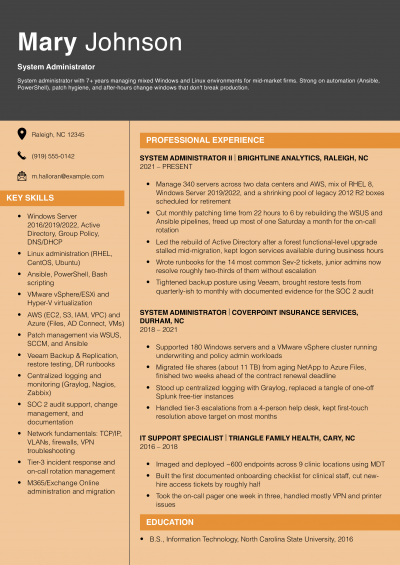
System Administrator Resume Examples and Templates for 2026
Andrew Stoner By: Andrew Stoner

The first line of your summary should name the user count or server count you supported, your uptime figure, and your on-call rotation. IT managers and infrastructure leads read that combination as readiness for their…

Featured Example
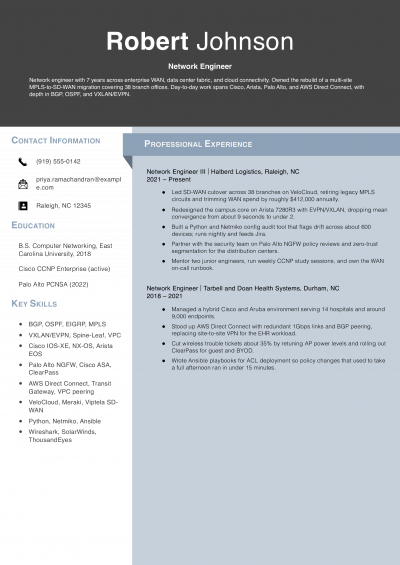
Network Engineer Resume Examples and Templates for 2026
Andrew Stoner By: Andrew Stoner

A CCNP on your resume tells an infrastructure director you passed an exam. It does not tell them what you’ve actually run. Add a single line under your name that names the differentiator a vendor…

Featured Example
IT Manager Resume Examples and Templates for 2026
Andrew Stoner By: Andrew Stoner

Add one line a CIO or IT director cannot pull from your LinkedIn skills list. Examples include a multi-site ERP cutover, a SOC 2 Type II audit you owned, or a 24/7 NOC you stood…

Featured Example
Cybersecurity Resume Examples and Templates for 2026
Andrew Stoner By: Andrew Stoner

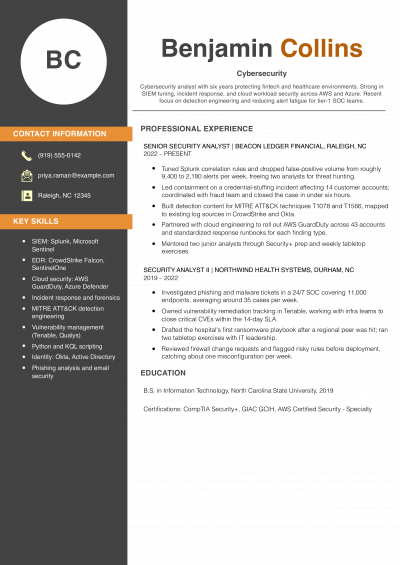
Lead the summary with a number that sizes your detection work. Name your alert volume per shift, the MTTR you carry, or the percentage of false positives you cut. SOC managers and CISOs read that…

Featured Example - Information Technology
Information Technology Resume Examples and Templates for 2026
Andrew Stoner By: Andrew Stoner

The first line of your summary should name the scale you operate at, not your years in IT. IT directors read scale as readiness to handle their environment. Lead with endpoint count, ticket volume per…

Andrew Stoner
Andrew Stoner

Executive Resume Writer and Career Coach

Andrew Stoner is an executive career coach and resume writer with 17 years of experience as a hiring manager and operations leader at two Fortune 500 Financial Services companies, and as the career services director at two major university business schools.

IT Support Specialist / Help Desk Example

Build your IT Specialist resume

Customize this template in our builder in under 10 minutes.

Build my resume
Excellent Excellent
4.7 STARS on 4.7 STAR
flash image Get the 2x more job offers*
ResumeTemplates.com LOGO
Trustpilot

Elevate your career with insider job advice and expert resume templates.

Build Your Resume
  • AI Resume Builder
  • Resume Builder App
  • Action Verbs, Power Words, and Strong Synonyms to Use on Your Resume
  • How Long Should a Resume Be?
  • How To Make a Resume
  • Key Skills Examples for Your Resume
Essential Resume Guides
  • Are Resume Templates a Good Idea?
  • How to List Work Experience on a Resume
  • How To Fill Out a Resume Template
  • How To Use a Resume Template for Free
About Resume Templates
  • About Us
  • Contact Us
  • Privacy Policy
  • Terms of Service
  • Do Not Sell or Share

© 2026 Resumetemplates.com All rights reserved.